

Guitar Stroke Helper
Guitar programming that finally feels like playing.
TAB for your left hand, picking patterns for your right — think like a guitarist, not a MIDI editor. Listen, tweak, repeat until it's yours. Not an auto-generator, but a workflow tool that keeps you in control.
Sale ends August 31, 2026
One license per person is required.
Try Free or Buy Now Read the User's Manual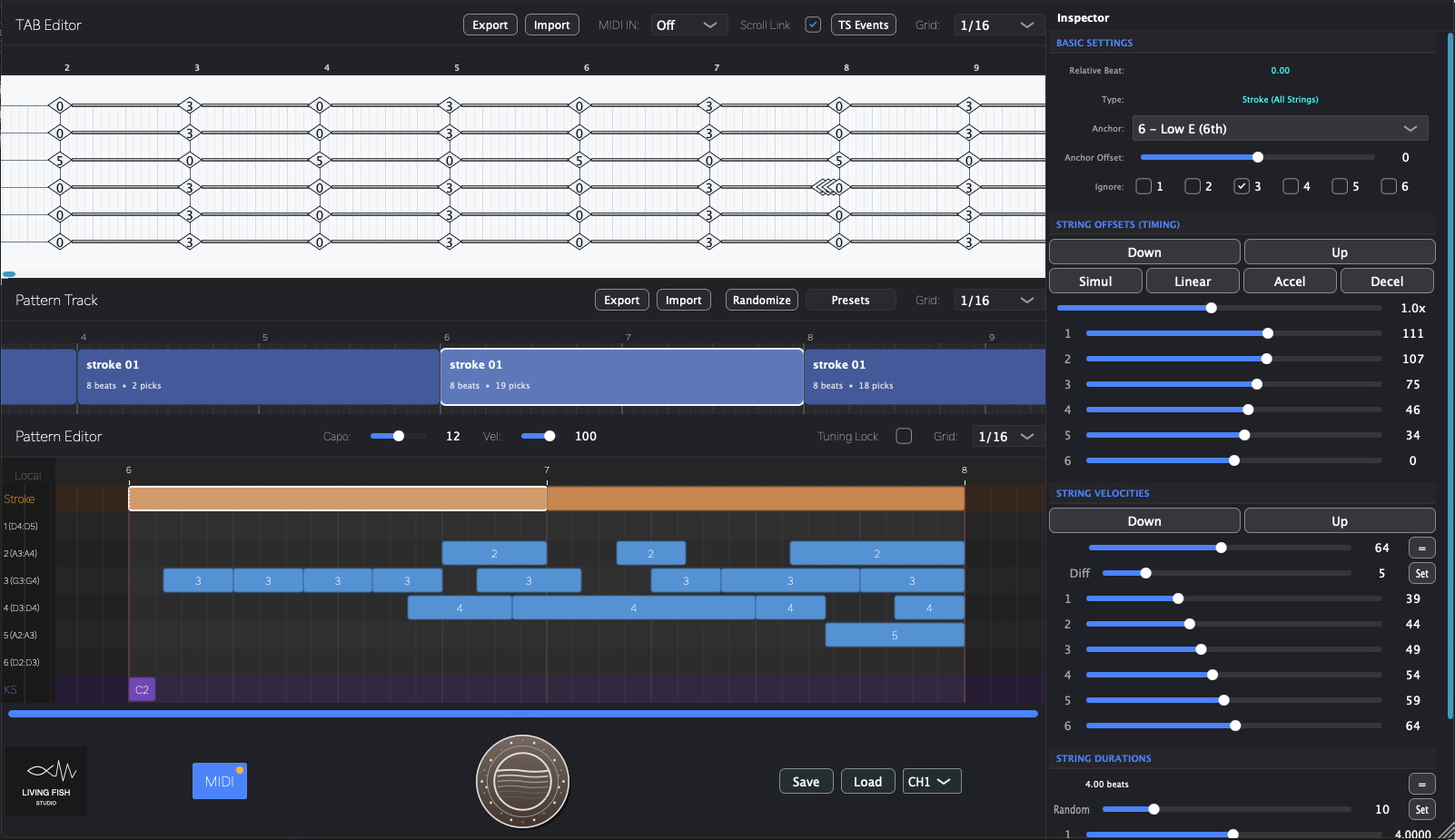
A Tool That Keeps Up With Your Idea
When you write on guitar, you're already thinking two things:
"What do I fret?" and "How do I strum?"
Two separate questions. You experiment with each one differently.
We just made a tool that works the same way.
TAB editor for voicings. Pattern editor for strokes. Completely independent.
Change one without wrecking the other.
No more hunting for "close enough" presets.
No more piano roll surgery to get what's in your head.


The Guitarist's Way
If you sketch ideas on guitar but don't always hit record, this is for you.
Enter TAB, shape your picking, hear it back — just your ideas coming to life.
No piano roll surgery required.
This is a performance design tool — not an auto-generator.
You decide what gets played and how. No AI, no random humanization, no "close enough" presets. Just your design, from deliberately mechanical to fully expressive — it's entirely up to you.
Watch
See Guitar Stroke Helper in action
Guitar Stroke Helper - Trailer
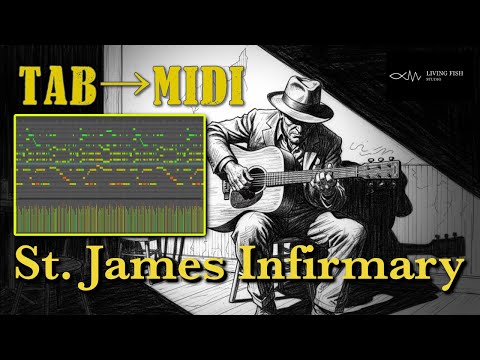
TAB to MIDI: St. James Infirmary
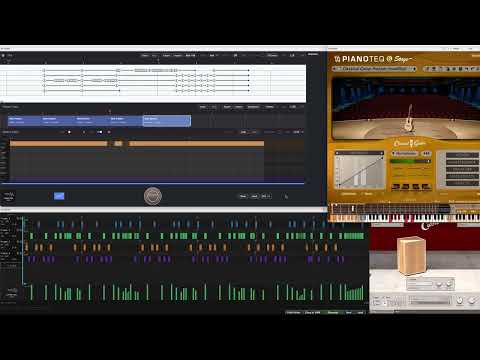
Sample: Flamenco (Bulerías)
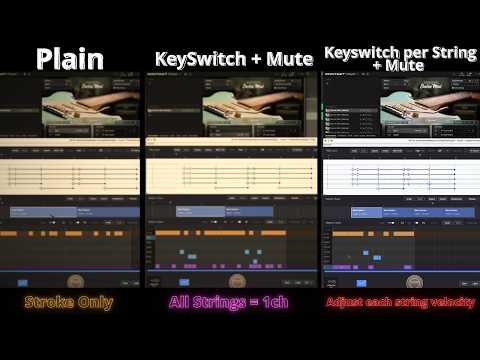
3 Levels to Realistic MIDI Guitar Strumming | Sample Funk 02
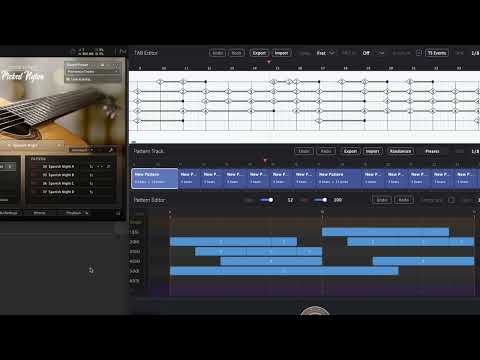
Sample : FernandoSor Op.35 No.22 (Cover)
Sample Riff 02 (Open Tuning)
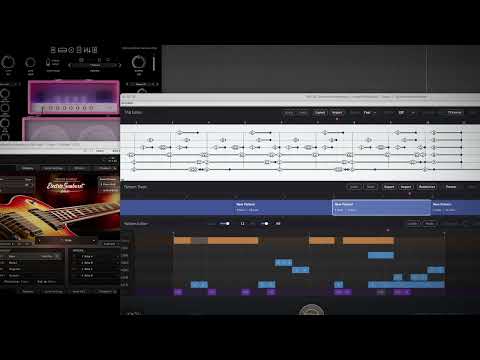
GuitarStrokeHelper | Sample Riff 01
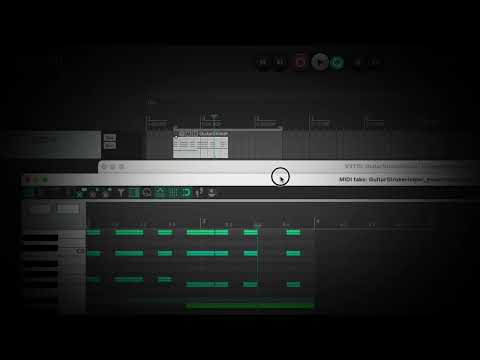
Sample Bossa Nova 01
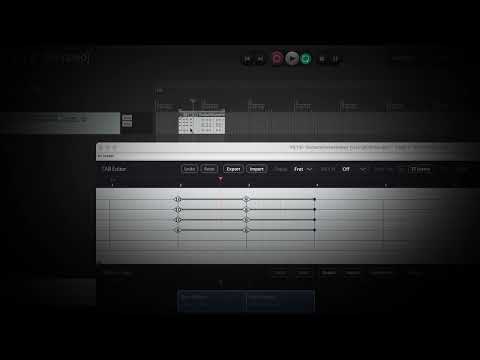
Sample Funk 01
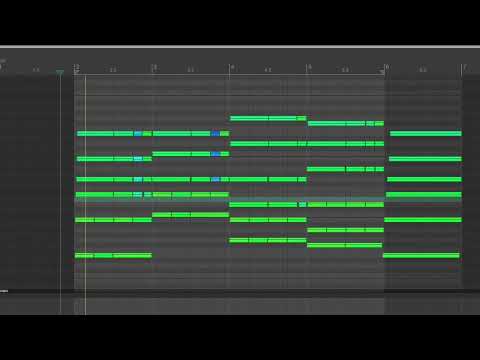
Sample Strum 01
Tired of guitar programming that feels more like data entry than music-making?
Offset the timing. Tweak the velocity. Repeat for every string, every stroke.
Every time you adjust a chord, you're back to micro-editing note positions. This grunt work drains your creative energy before you even get to the music.
Guitar Stroke Helper handles that tedious work for you.
Set timing and velocity per string to create any picking pattern you can imagine — from fast strums to gentle arpeggios, fingerstyle to hybrid picking.
Fine-tune until it feels right, or use quick-set buttons to move fast.
Less busywork. More music.
This is a MIDI generator, not a sound source.
It doesn't produce sound on its own. You'll need a separate guitar virtual instruments (such as Session Guitarists series by Native Instruments, etc.) to listen to the output.
What Guitar Stroke Helper Can Do For You
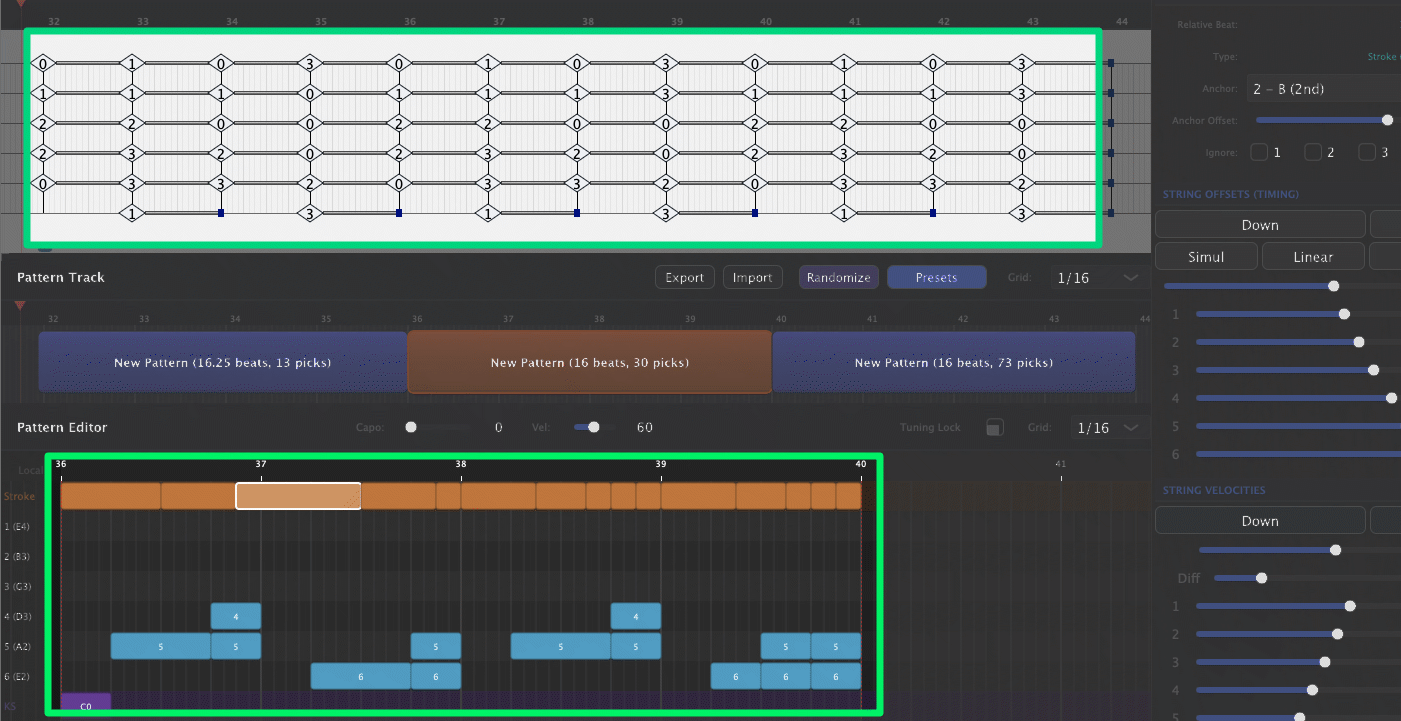
Complete Separation of Left Hand and Right Hand
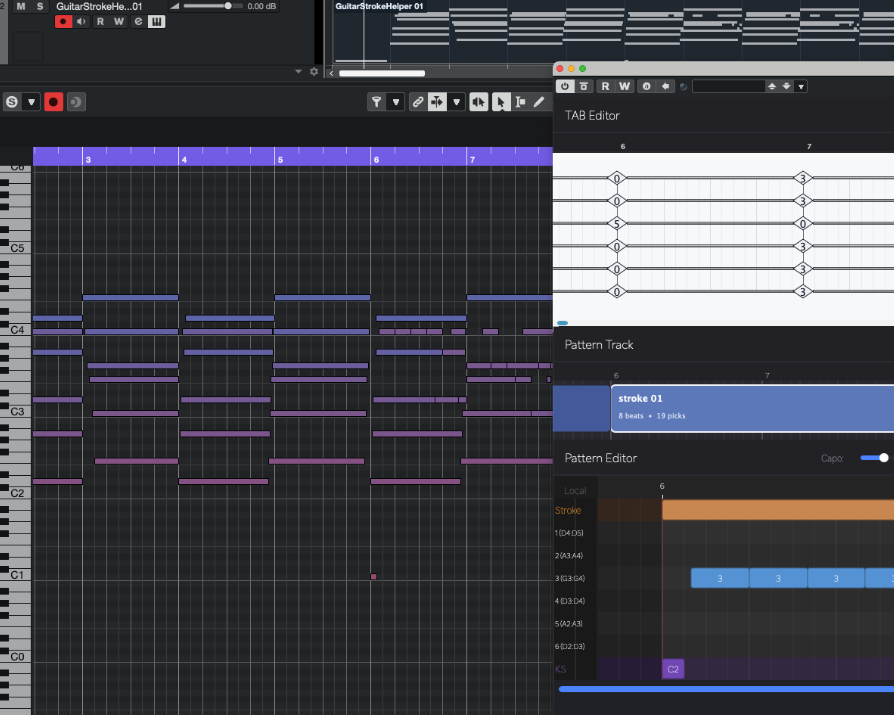
TAB input + dedicated piano roll for picking. Enter fretting positions with familiar TAB notation — intuitive for guitarists and accessible for DTMers who know a bit of guitar. Edit picking patterns per-string or per-stroke in the dedicated piano roll. "Fretboard in TAB, groove in piano roll" — a clear division of roles.
- Save and recall fret positions and picking patterns separately
- Easily apply a saved picking pattern to different chord progressions
- Keep the left hand simple in TAB while making the right hand rhythmically complex
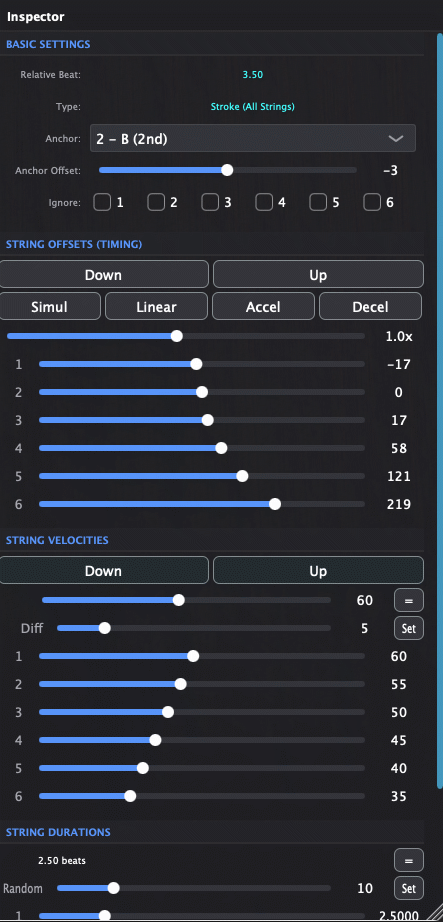
Design the "Feel" of Your Strokes Per String
Adjust the timing of each string within a single stroke. Whether it's a strum or an arpeggio, fine-tune the time offset between strings to express human-like nuance and groove.
- Per-pick velocity settings for accents and ghost notes
- Create natural, human-like timing variations
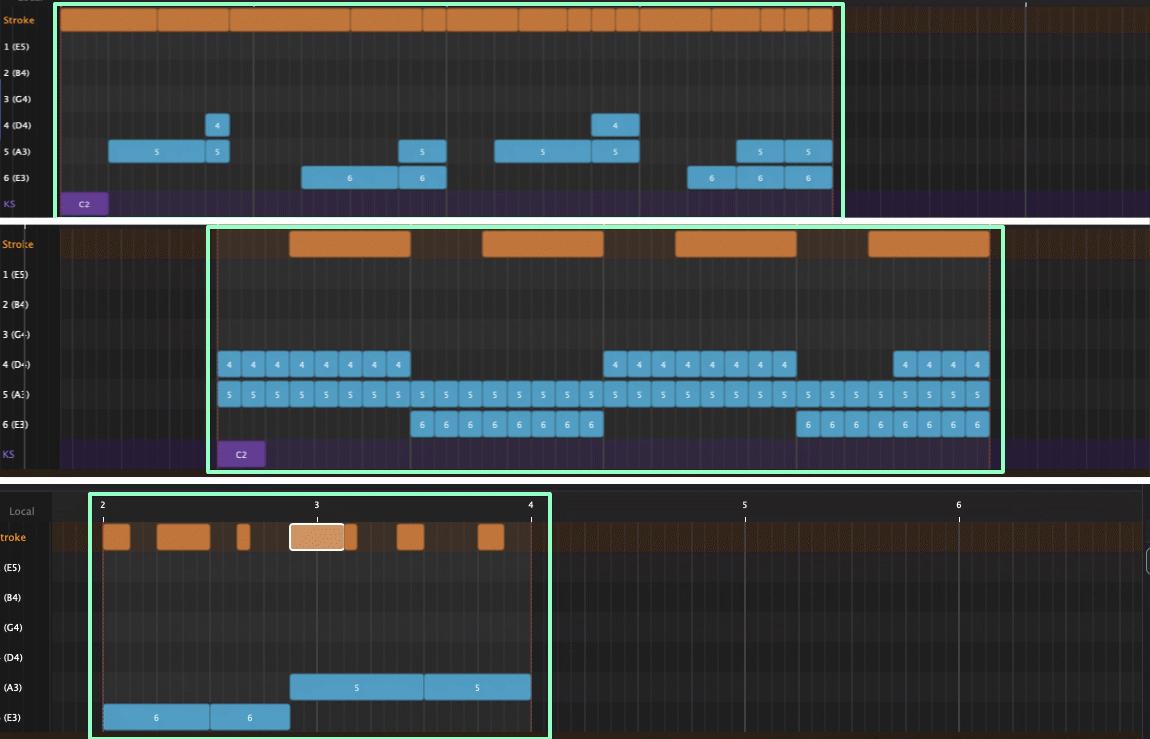
Flexible Picking Pattern Creation
Within a single stroke, specify which strings to play and which to skip. Create patterns where bass strings sustain while the rest strum, or target specific strings for arpeggios — pursue your own playing style with complete freedom.
- Selective string picking within each stroke
- Build guitarist-authentic picking patterns
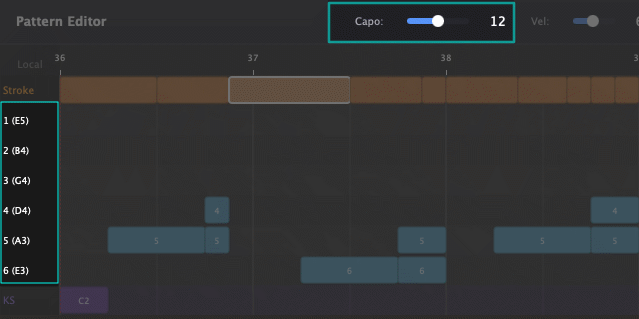
Custom Tuning & Capo Settings
Set each string's tuning freely — Drop D, half-step down, open tunings, or your own custom tunings are all easy to be set. Choose a capo position to arrange with the actual feel and resonance of capoed positions in mind.
- Support for alternate and custom tunings
- Quickly test which tuning & capo feels best for the key — without changing the MIDI data by yourself
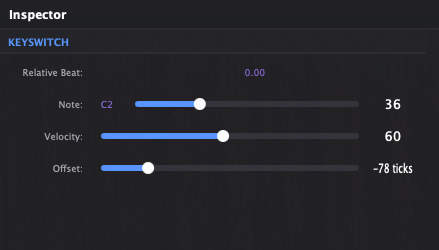
Built-in Key Switch & MIDI CC Control
Enter MIDI note numbers directly in the piano roll to trigger key switches for your sound library. Assign them per string or apply globally, and adjust timing offset and velocity per key switch to precisely control articulations. MIDI CC automation (CC1, CC2, CC11, CC21, CC74) can also be set per string in the Expression Lane.
- Per-string or global key switch assignment
- Adjustable timing offset and velocity per switch
- MIDI CC per string via Expression Lane
- Works with variety of guitar librarys' articulation system
Per-String Pitch Bend
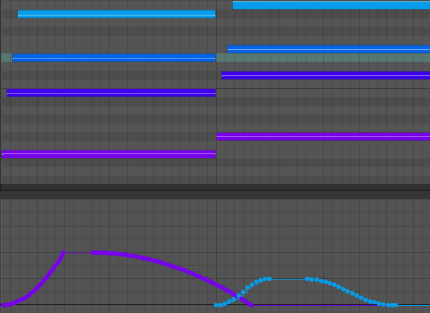
Set pitch bend individually per string or apply it globally. Shape the curve by adjusting attack, hold, and release sliders — no need to draw automation lines by hand. Choose from Linear, Ease In, Ease Out, or Ease In & Out presets to quickly dial in the feel you want.
- Per-string or global pitch bend control
- Attack / Hold / Release sliders for easy fine-tuning
- Curve presets: Linear, Ease In, Ease Out, Ease In & Out
Per-String MIDI Channel Output
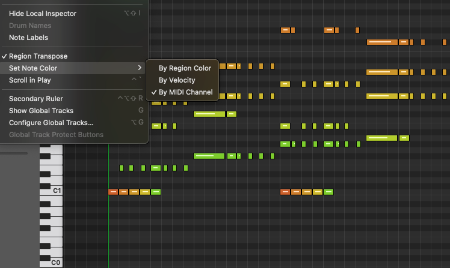
Route each string to its own MIDI channel, or group some strings on a shared channel — separate only as many as you need. Libraries with built-in string assignment work seamlessly; for those without, simply load a separate instance per channel to achieve a similar workflow. Combined with per-string key switches and pitch bend, you can shape every nuance — like bending only the 6th string mid-riff — without complex workarounds.
- Route strings to separate channels or group them as needed
- Works with string-aware libraries and multi-instance setups alike
- Unlock per-string key switches and pitch bend for full expressive control
Drag & Drop to DAW
Just drag the generated MIDI and drop it into your DAW track. Combine with your favorite guitar libraries, and make fine adjustments in your usual piano roll. Not a "strummer tied to one library" — but a "stroke engine that works with variety of virtual instruments."
- Works with variety of guitar virtual instruments
- Fine-tune in your DAW's piano roll
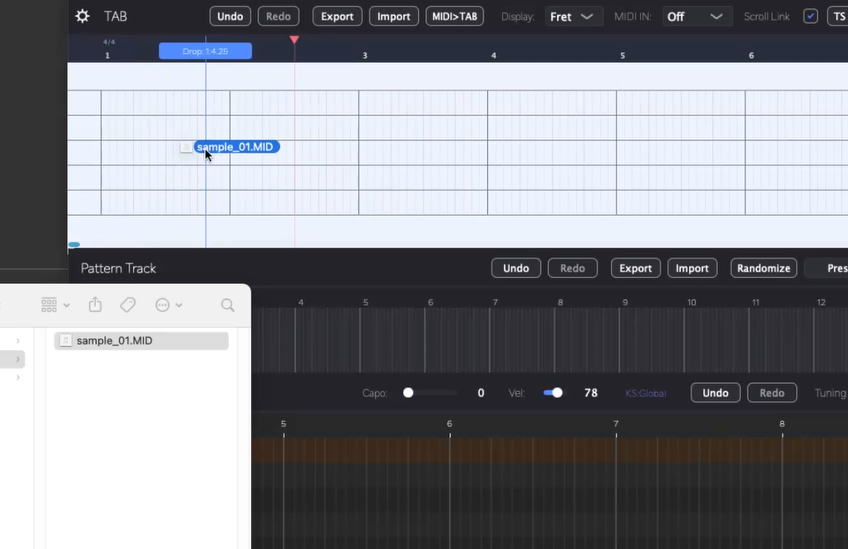
MIDI Drag & Drop to TAB Editor
Drop a MIDI file directly onto the TAB Editor to convert it into fret positions automatically. The plugin calculates fretting based on your current tuning. Note: only perfectly quantized chords are converted — single-note phrases are not supported.
- Auto-converts MIDI notes to fret positions based on tuning
- Adjust string assignment with Up / Down arrow keys
Note: Not all MIDI CC types are supported. The plugin handles several common CCs (1, 2, 11, 21, 74), but for other CC automation, configure it in your DAW after exporting or recording the MIDI.
Before You Buy: Is Guitar Stroke Helper Right for You?
There might be some misunderstandings about what this plugin does. So here's a quick overview of what Guitar Stroke Helper can and can't do.
Specifications
| macOS | Windows | |
|---|---|---|
| Format | AU / VST3 | VST3 |
| Architecture | Universal (Apple Silicon / Intel) | 64-bit |
| OS Version | macOS 12+ | Windows 10 |
| Tested DAWs* |
VST3: Cubase, Reaper AU: Logic Pro, Luna * tested with Apple Silicon. |
VST3: Cubase, Reaper
* tested on Windows10. |
| Not supported | All other DAWs, including Ableton Live. | |
Don't see your DAW? DAWs not listed above are not supported, including Ableton Live. If you still want to try, use the free version to check whether the plugin works in your DAW before purchasing.
Please try the free version before purchasing
Every DAW and system environment is different. We cannot guarantee the plugin will work perfectly on your setup. Please download and test the free version to ensure compatibility with your workflow.
What's New
- MIDI Drag & Drop Import — Drag a MIDI file directly onto the TAB Editor to import it as tablature. Fret positions are automatically calculated based on your tuning.
- MIDI CC Support — Several MIDI CCs (1, 2, 11, 21, 74) are now supported in the Expression Lane, configurable per string.
- Resizable Window — Choose from three window sizes (Large, Medium, Small) via the gear icon in the TAB Editor menu bar.
- Shuffle Setting — Right-click a picking block to access shuffle settings. Apply timing offsets to picking events to fine-tune your groove.
- Per-String Pitch Bend — Set pitch bend per string or globally, with Attack / Hold / Release sliders and curve presets.
- Per-String Key Switch — Apply key switches per string via MIDI channel targeting for precise articulation control.
- Per-String MIDI Channel Output — Route each string to its own MIDI channel (1–6), or group strings as needed for flexible control.
- MIDI to TAB Conversion — Convert a Standard MIDI File into a TAB file with automatic fretting positions.
- Per-Channel MIDI Export — Export MIDI per channel for string-level control in your DAW.
- String Transfer in TAB Editor — Move glyphs to adjacent strings with Up / Down arrow keys while keeping the same pitch.
From Sketch to Final Arrangement
Build your guitar arrangement in MIDI before recording the real thing.
"It's still just a sketch, but I want to include something that sounds like guitar."
"I want to try different tuning and capo positions to match the singer's key."
During the idea stage, these situations come up all the time.
Test the feel of strokes while changing keys and tempos
Try different tuning or capo positions to find the best arrangement
Keep your favorite strokes and arpeggios as reusable "signature moves"
Strokes and voicings become assets to share across songs and collaborators
Use the MIDI you create as a foundation — record real guitar for the final version, or finish entirely with virtual instruments. Less tedious work. More time for songwriting and arranging.
Who Is This For?
DTMers frustrated that programmed guitar always sounds like "programmed guitar"
Those who find strummer-style preset instruments convenient, but feel limited because they can't control the details
Composers and arrangers who end up re-programming strokes from scratch every time the chord progression changes
Those who want to properly design guitarist-like picking patterns — selective string strokes, complex arpeggios — while keeping fret positions intact
DTMers who aren't expert guitarists but can read/write TAB, and want to use that as a stepping stone to create realistic strokes
Guitarists and producers who also play real guitar, but find it tedious to record for every idea sketch or minor edit, and want to quickly draft a "near-final guitar" in MIDI first
Free Trial vs Full Version
| Main Features | Free Trial | Full Version |
|---|---|---|
| TAB Input (MIDI-style duration editing) | ||
| Dedicated Picking Piano Roll (strokes, individual strings, key switches) | ||
| Per-String Timing & Velocity Control | ||
| Selective String Picking per Stroke | ||
| Custom Tuning & Capo Settings | ||
| Picking Pattern Randomization | ||
| Time Signature Changes | ||
| TAB Display (Fret Number / Note Name Switch) | ||
| MIDI to TAB File Conversion | ||
| MIDI Drag & Drop to TAB Editor (direct conversion) | ||
| Per-String Output MIDI Channel (1–6ch) | ||
| Per-String Keyswitch & Pitch Bend | ||
| Picking Pattern Preset Save & Load | ||
| Drag & Drop MIDI to DAW | First 4 bars only | |
| MIDI Output (DAW Playback Sync) | First 4 bars only | |
| TAB / Picking Pattern Save & Load | ||
| Project File Save & Load |
The Free Trial lets you explore all editing features. Project file save & load requires a paid license.
Press
"Living Fish Studio dévoile Guitar Stroke Helper"
"Living Fish Studio releases Guitar Stroke Helper guitar MIDI tool"